 Fanclub Registration Guide
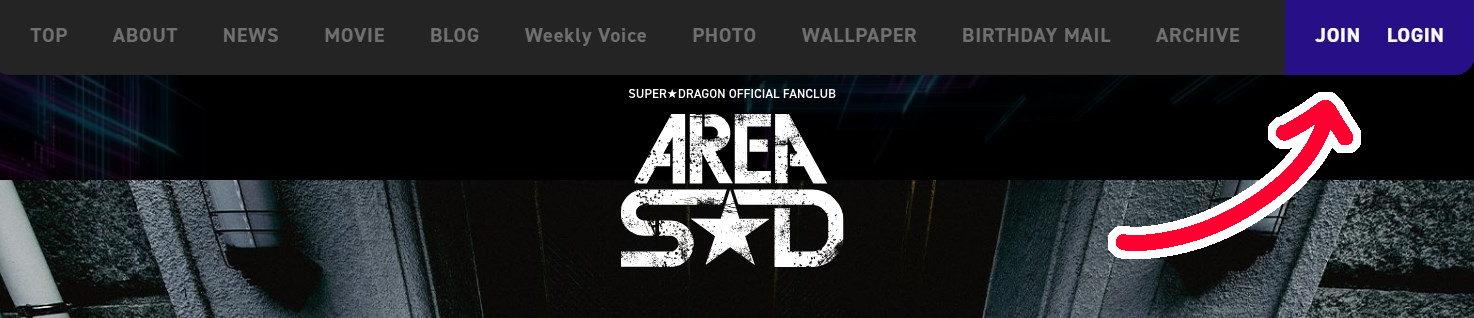
1. Go to the fanclub website: https://app.super-dragon.jp/ (or click the image below)

2. Click on "JOIN" on the top navigation menu.
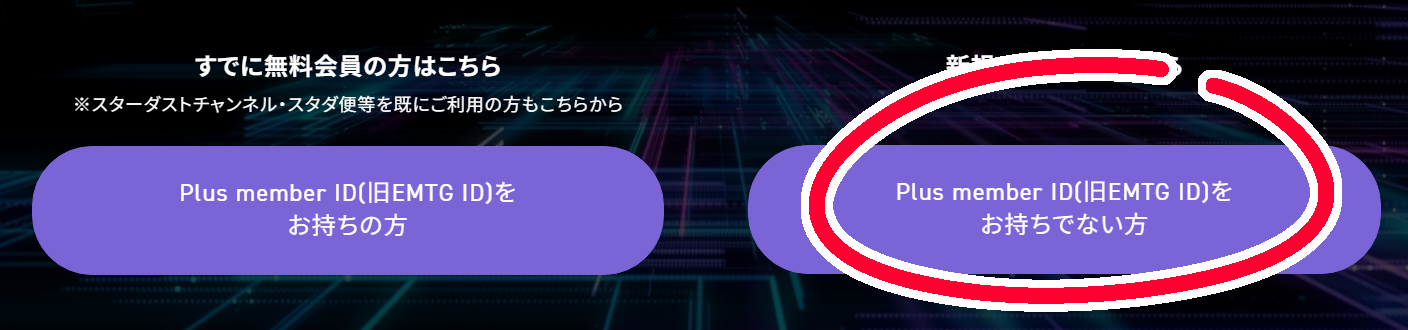
3. Scroll to the bottom where you’ll see two options: “Join As a Member With Plus member ID” and “Join as a New Member”. I’ll assume you’re totally new here, so just click on the button on the right and fill in your email to make a Plus member ID.
4. Check your email to get a confirmation link and you’ll be brought to the registration page. Use google translate to fill in your details here.
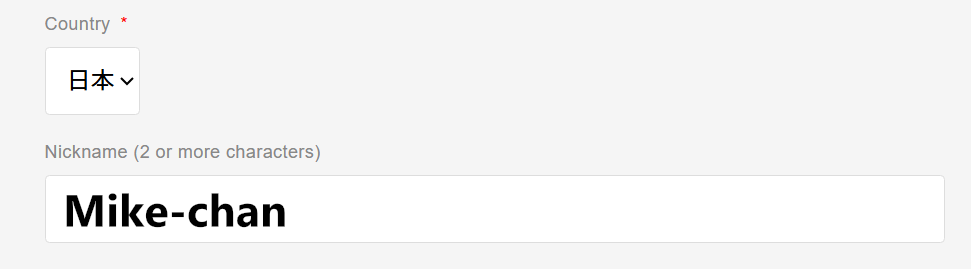
5. Fill in your nickname. Your nickname can be anything, you can also change it anytime later.
6. For your real name (which I'll assume doesn’t have kanji characters), it’s advised to input your name in katakana in this first field. You can use this katakana converter if you can’t read/write katakana.

7. For the second set of name fields (furigana), type your name in capital roman letters (ex: MIKE WAZOWSKI)

8. This part’s important so read carefully! You must fill in a Japanese address, because the fanclub is going to send a physical membership card to you. Use a Japanese proxy service that can provide you with an address or borrow a friend’s address that you can use.
But for now, if you just want to get this registration bit done, you can fill it in with any old valid Japanese address (for example, the Sanrio Hotel or something lol) and you can change this later. The club will notify you by email when they’re going to send out membership cards and you will have a last chance to update your address if you want to get that physical card, so keep this in mind!
But for now, if you just want to get this registration bit done, you can fill it in with any old valid Japanese address (for example, the Sanrio Hotel or something lol) and you can change this later. The club will notify you by email when they’re going to send out membership cards and you will have a last chance to update your address if you want to get that physical card, so keep this in mind!
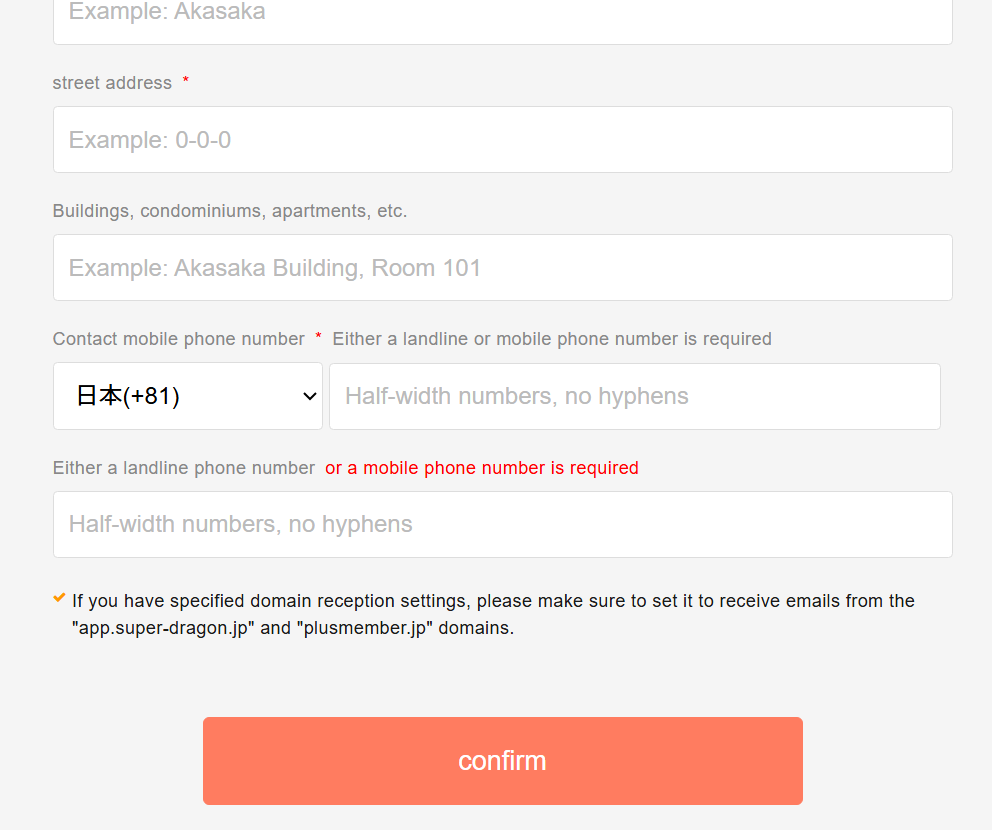
9. For your phone number, you can use your phone number from your own country, you don’t need a Japanese phone number.
10. Press confirm to go to the next page to fill in your credit card payment details.
11. Finish everything up and you should be done! Check your email for confirmation, then you can install the AREA SD app on the playstore or access it on the web!